01
Start in one tap
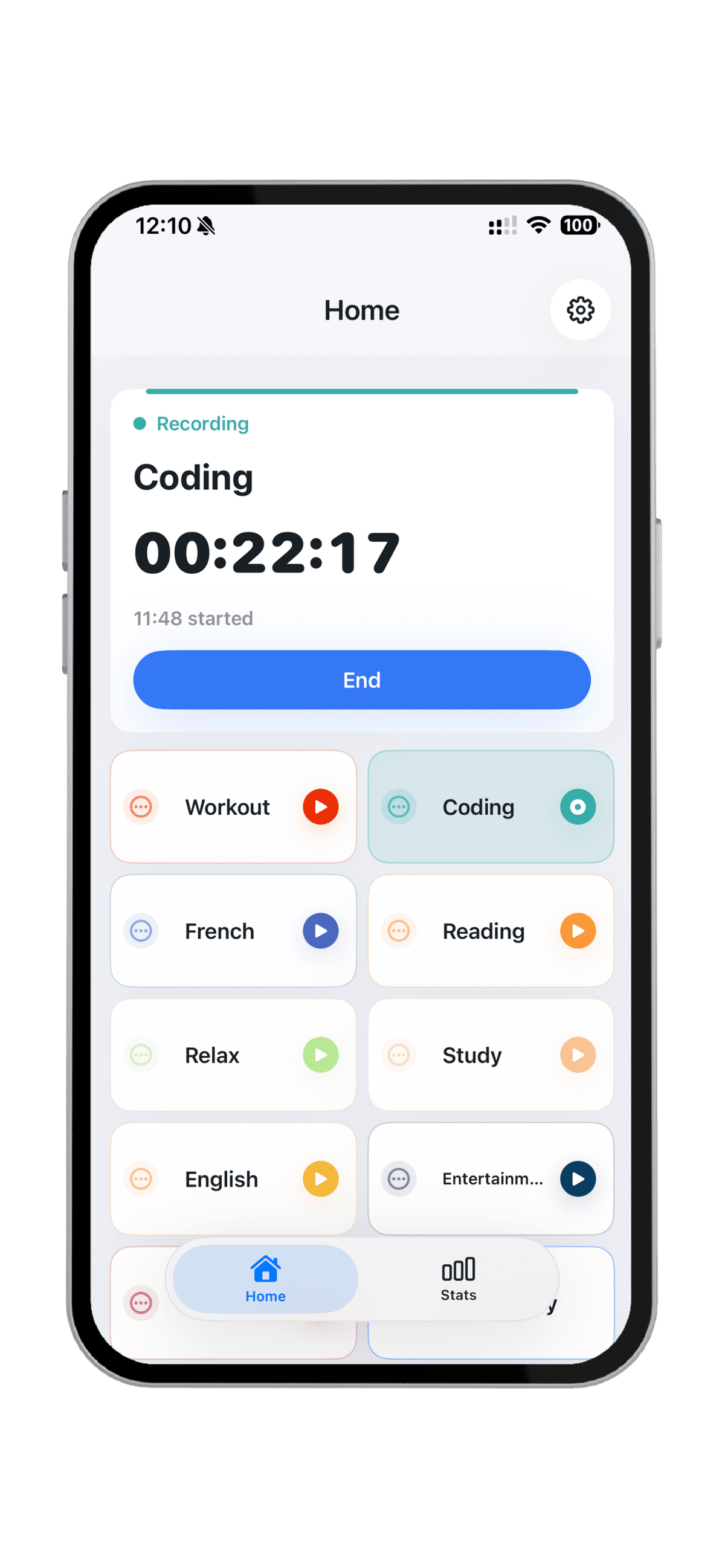
Tap the activity you are doing and DailyTrace begins a record immediately.

Time awareness for iPhone
Observe first. Decide later.
See where your time actually goes.
DailyTrace helps you record real-life activities and see the shape of your days with one-tap recording, widgets, timelines, heatmaps, and past-365-day reviews.
Record the life you are already living. Start, switch, stop, and correct records without building a whole productivity system.
Tap the activity you are doing and DailyTrace begins a record immediately.
Move to the next activity without rebuilding your record. The previous segment is closed for you.
Add past records, adjust start and end times, change activities, and add optional notes later.
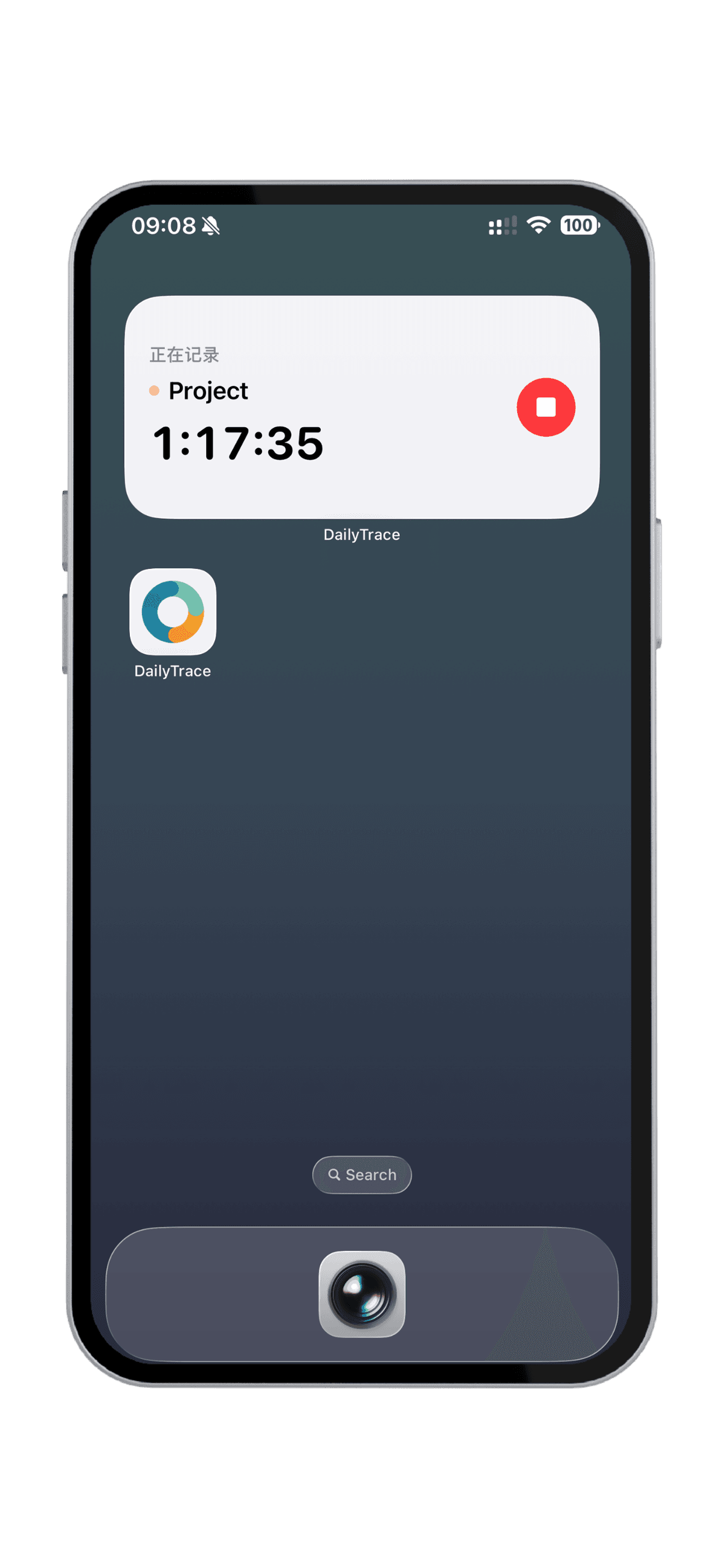
DailyTrace gives the current record a lighter path than opening the app every time.
Start, switch, or stop the current recording from the Home Screen.
Glance at the current activity and return to DailyTrace from the Lock Screen.
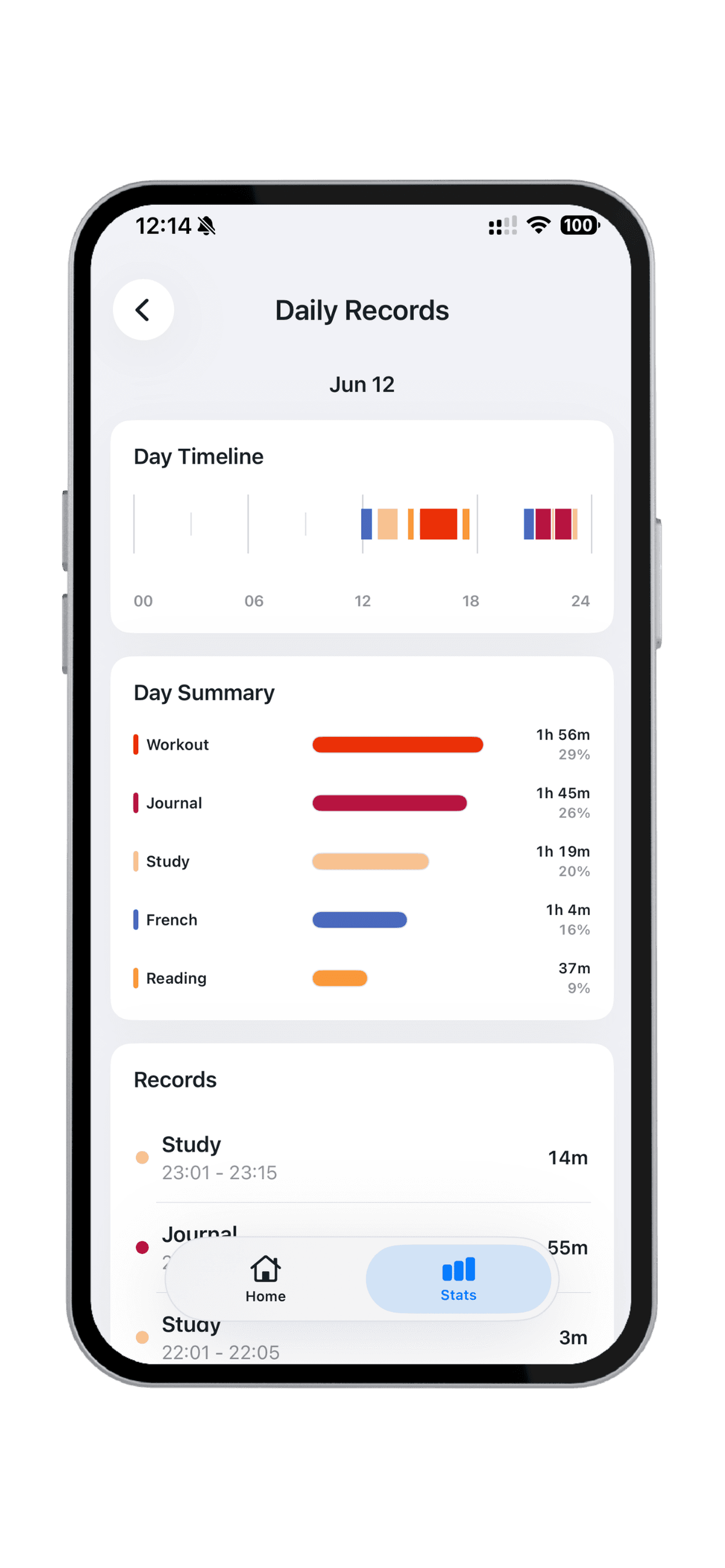
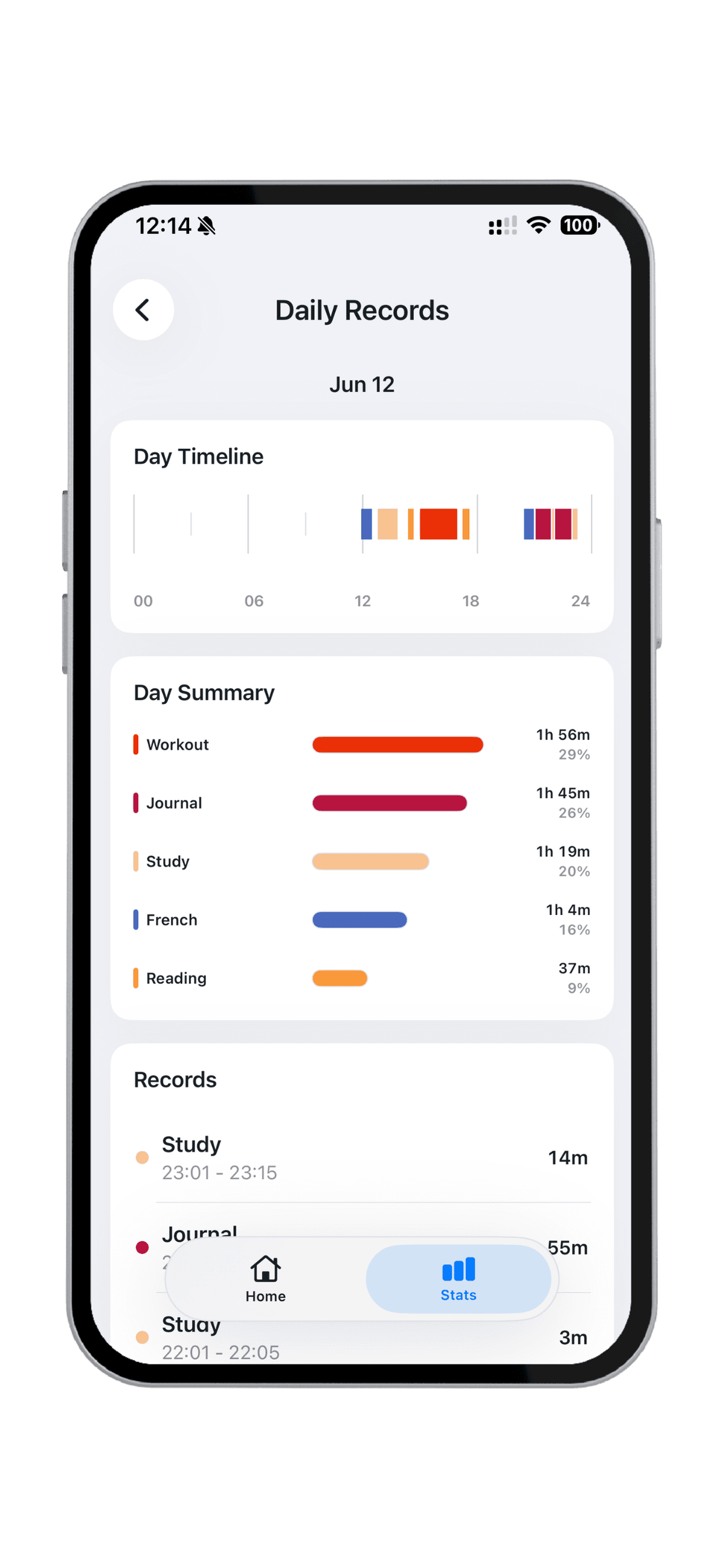
Your memory compresses a day. A 24-hour timeline shows recorded activities plainly.
See when activities happened, how long completed records lasted, and where your recorded attention went. No judgment added.
See recorded activities in the order your day unfolded, with empty time left visually quiet.
Review how completed records add up without turning the day into a performance label.
Open a record when a start time, end time, activity, or note needs correction.
Zoom out from one day to weekly rhythms, monthly heatmaps, and the past 365 days of recorded time.
Compare recent days and the recorded activities that shaped them.
Use a monthly heatmap to notice where recorded time was heavier or lighter.
Look back across a long record of routines, seasons, and lived time.
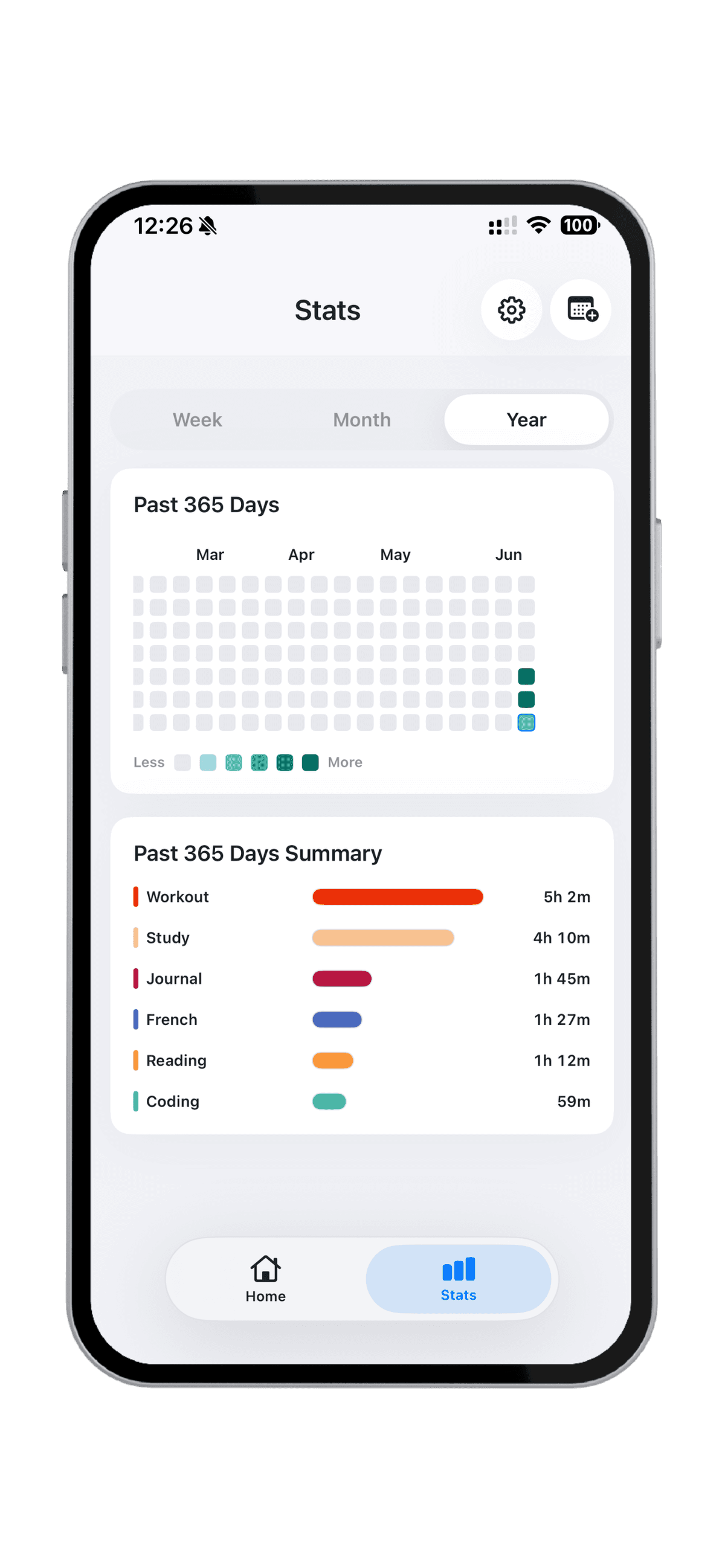
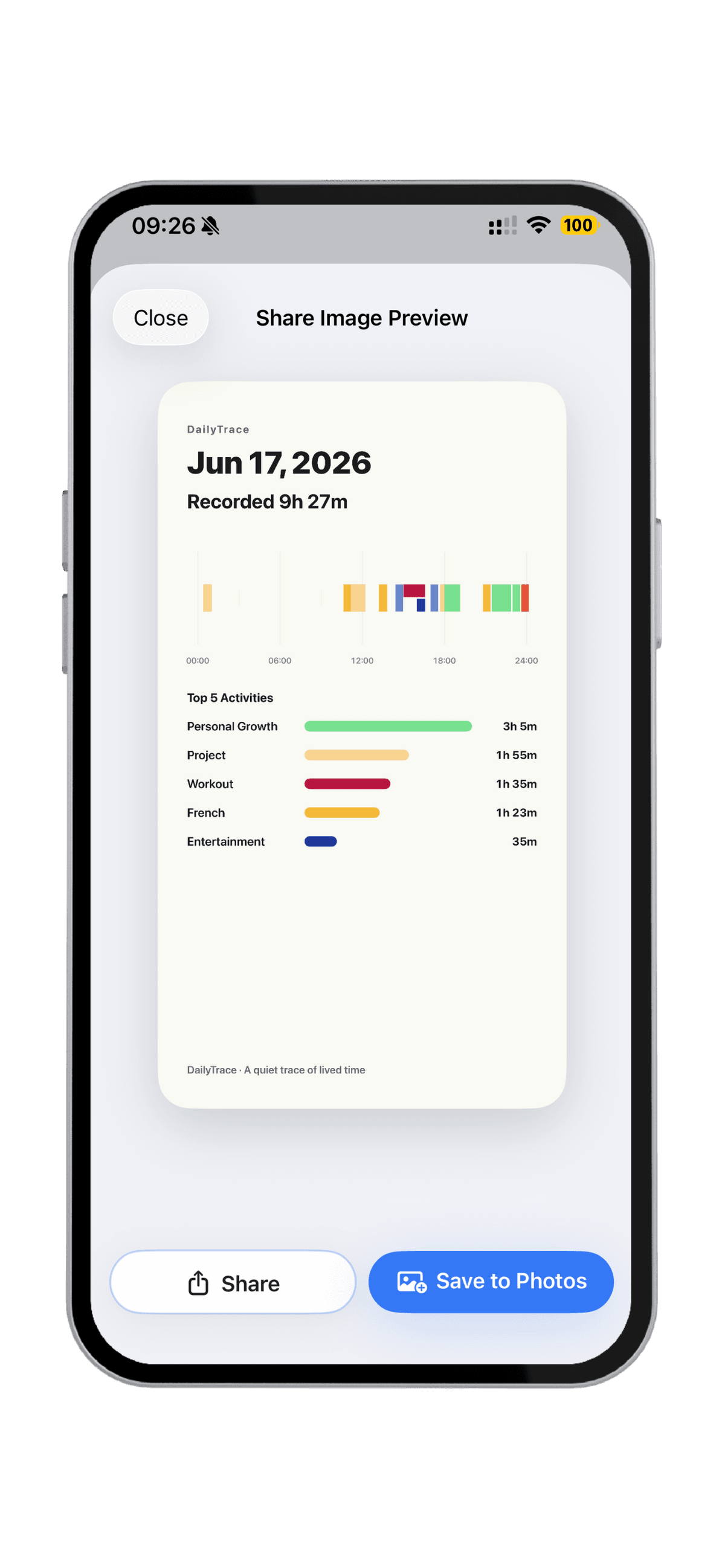
Turn day, week, month, or past-365-day reviews into clean 9:16 images.
Preview the image first, then save it or share it through the iOS system share sheet. The image stays focused on recorded activities and calm context.